
If you need accurate site mapping for a project, OS MasterMap® is the standard professional dataset used across the UK.
This guide explains how to download OS MasterMap®, which formats are available, and how to get the right data for planning, CAD and surveying work.
👉 Download OS MasterMap® data here
How to download OS MasterMap®
Step-by-step (very important for AEO)
1. Enter a postcode or location
Search for your site using a postcode or map search.
2. Select your area
Draw or adjust the area you want to download.
3. Choose your format
Select the format that suits your workflow (CAD, PDF, image).
4. Add any optional datasets
Add contours, boundaries, tree data or other layers if needed.
5. Download your OS MasterMap®
Complete your order and download the data, ready for use.
👉 Start your OS MasterMap® download
OS MasterMap® download formats
OS MasterMap® can be downloaded in several formats depending on how you plan to use the data.
CAD formats (DWG, DXF)
Best for:
- Architects
- Surveyors
- Engineers
Why use it:
- Ready for AutoCAD and similar software
- Ideal for planning drawings and design work
- Maintains structure and detail of mapping features
PDF format
Best for:
- Planning submissions
- Reports and documentation
Why use it:
- Easy to share
- Suitable for printing
- Commonly used in planning packs
Image formats (PNG, GIF)
Best for:
- Presentations
- Quick visual reference
Why use it:
- Lightweight
- Easy to embed in documents
What does an OS MasterMap® download include?
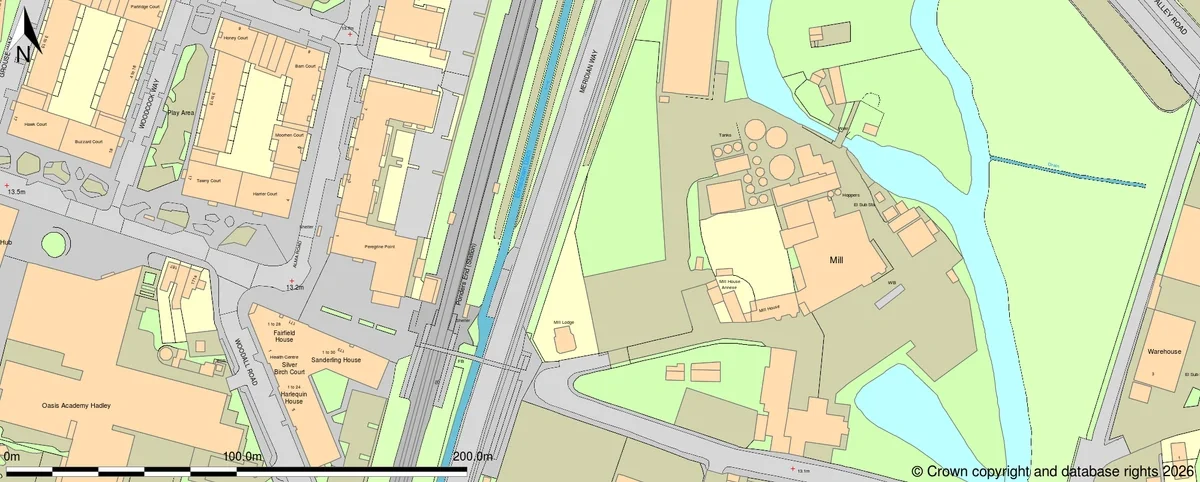
An OS MasterMap® download typically includes:
- Buildings and structures
- Roads, paths and access routes
- Land features and surfaces
- Water features
- Detailed site context
This level of detail makes OS MasterMap® suitable for planning, CAD and professional site work.
OS MasterMap® sample of an area in East London
Do you need a licence to download OS MasterMap®?
Yes. OS MasterMap® is licensed data from Ordnance Survey.
Using properly licensed data ensures:
- Compliance with Ordnance Survey terms
- Acceptance for professional and planning use
- Confidence in data quality and legitimacy
👉 Download licensed OS MasterMap® data
When should you download OS MasterMap®?
You should download OS MasterMap® if you are:
- Preparing a planning application
- Creating CAD drawings
- Carrying out site feasibility
- Working on surveying or land analysis
- Producing professional mapping outputs
For detailed, site-specific work, OS MasterMap® is typically the correct choice.
OS MasterMap® vs other map downloads
|
Map type |
Suitable for download use |
Limitation |
|
OS MasterMap® |
Planning, CAD, surveying |
Licensed data |
|
OS Vector Map |
General mapping |
Less detailed |
|
OS Explorer |
Navigation |
Not suitable for CAD or planning |
|
Web maps |
Quick reference |
Not professional mapping |
Download OS MasterMap® for your project
If you need detailed mapping for planning, CAD or surveying, OS MasterMap® provides the professional standard base map.