


Free to view MasterMap®

Download in a few minutes

Save up to 40% vs. other suppliers


DXF Plans are CAD mapping files supplied in Autodesk Drawing Exchange Format (.dxf), designed to enable interoperability between different CAD systems.
They allow architects, surveyors, planners and engineers to use detailed mapping across a wide range of CAD software without compatibility issues, making them particularly useful where data needs to be shared between platforms.
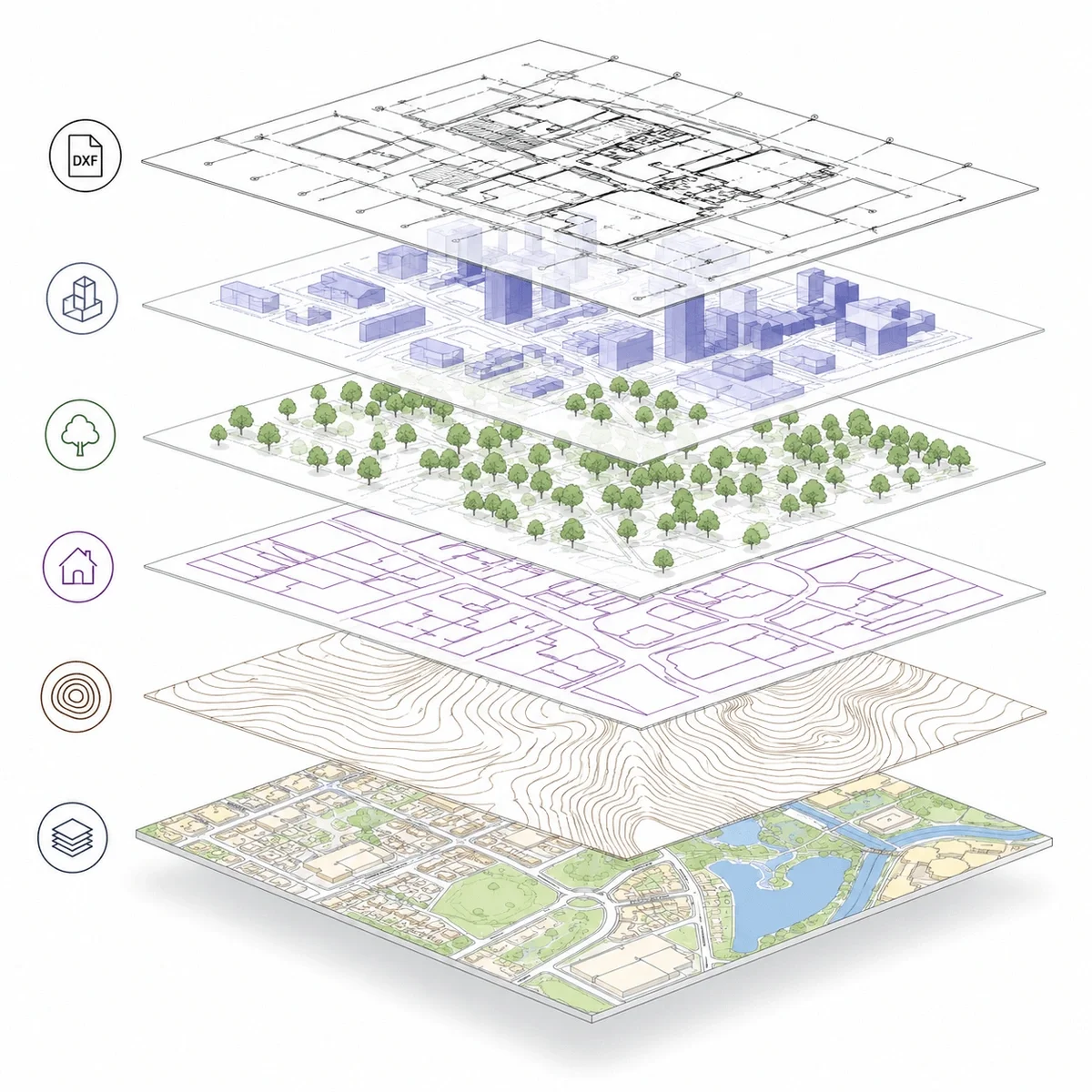
DXF Plans provide structured, editable mapping of buildings, roads, boundaries and land features, making them suitable for base plans, site layouts and technical workflows.
MapServe DXF Plans are derived from OS MasterMap®, ensuring accurate, reliable mapping that integrates into professional CAD environments. Plans can also be enhanced with optional layers such as 1m contours, freehold boundaries, building heights and National Tree Map™ data.

| Sector | Need | Why it's used | Typical format |
|---|---|---|---|
| Architecture | CAD base mapping | Use mapping in CAD-compatible software | DXF |
| Surveying | Interoperable CAD data | Exchange mapping between systems | DXF |
| Planning | Drawing preparation | Create planning overlays and site drawings | DXF |
| Engineering | Design context | Review site features and access constraints | DXF |
| Landscape design | Site layout | Work with site context and optional contours | DXF |
| Map product | Best used for | Key limitations |
|---|---|---|
| DXF Plans (OS MasterMap® based) | Cross-platform CAD workflows and data exchange | Less native functionality than DWG in some CAD systems |
| DWG Plans | Native AutoCAD workflows and advanced CAD editing | Less flexible for sharing across different platforms |
| PDF plans | Visual reference and planning submissions | Not editable or suitable for CAD workflows |
| Measured topographic survey | Verified site levels and physical features | Requires on-site survey work and is typically more expensive |
| GIS data formats | Spatial analysis and complex datasets | Not optimised for CAD design workflows |
DXF Plans provide flexible, interoperable CAD mapping, but they may not be the best choice where native CAD functionality is required.
They do not replace measured topographic surveys where exact levels, drainage, tree positions or site-specific features must be verified. DXF Plans also do not define legal ownership or boundaries and should not be used in place of title plans or Land Registry documents.
For workflows requiring advanced CAD features or full native compatibility, DWG format may be more appropriate.
| Attribute | Description |
|---|---|
| Format | DXF |
| Optional layers | Contours, freehold boundaries, building heights, National Tree Map™ and more |
| Best used for | CAD exchange, planning, design and site analysis |
| Delivery | Within seconds of ordering |
| Data source | Ordnance Survey OS MasterMap® |
| Coordinate system | British National Grid (OSGB36) |
| Structure | Layered CAD data for cross-platform use |
| Coverage | Site-specific or project-based extent |
| Features included | Buildings, roads, boundaries and physical features |
| Compatibility | Suitable for a wide range of CAD software including AutoCAD |
A DXF plan is a CAD-compatible drawing file designed for exchanging mapping and design data between software platforms.
Yes. DXF is widely supported by CAD and design software.
Choose DWG if your workflow is AutoCAD-led and DWG is required. Choose DXF if you need broader CAD software compatibility.
DXF Plans are used for CAD workflows where mapping data needs to be shared between different software platforms.
Yes. MapServe DXF Plans are derived from OS MasterMap® data.
DXF files can be opened in AutoCAD and many other CAD programs due to their interoperability.
DXF Plans can typically be produced quickly once site details are confirmed.
DXF is a universal exchange format, while DWG is a native AutoCAD format with more advanced functionality.
They can support planning drawings, but specific Planning Maps are usually required for formal submissions.
Not by default. Additional datasets such as contours can be added separately.


