
If you’ve searched for “CAD mapper”, you’re likely trying to export map data into AutoCAD quickly.
On the surface, tools like CAD Mapper look like an easy way to grab site data. Draw a box. Download a DWG. Start designing.
But here’s the problem: For UK planning, architecture, and commercial development work, not all CAD map data is legally or technically suitable.
This guide explains:
-
What CAD Mapper actually provides
-
Where it works well
-
Where it fails for UK projects
-
When you need licensed OS MasterMap® instead
-
How to avoid planning rejection or redraw time
What Is CAD Mapper?
CAD Mapper is a web tool that exports map data into CAD formats such as DWG or DXF.
It typically uses:
-
OpenStreetMap (OSM)
-
Public terrain datasets
-
Global open-source mapping data
This makes it useful for:
-
Concept sketches
-
Early feasibility studies
-
International projects
-
Academic work
But it’s important to understand:
It is not Ordnance Survey MasterMap® data.
And that distinction matters in the UK.
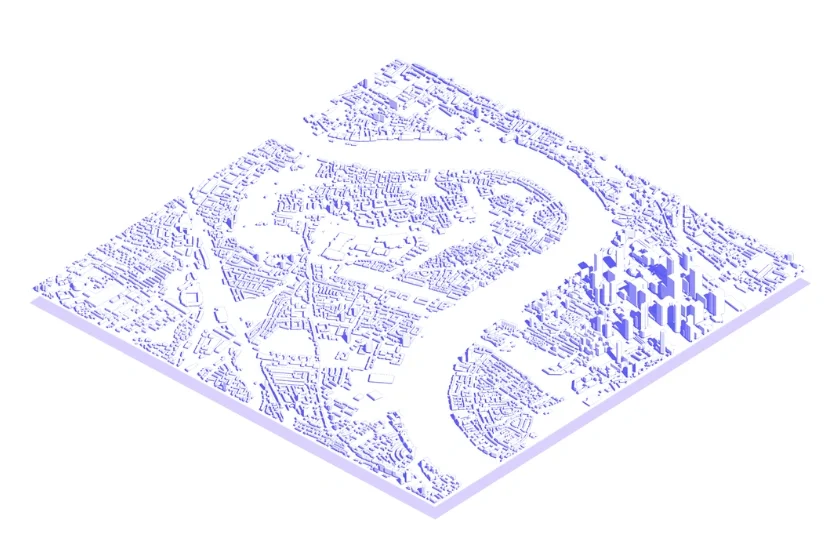
CAD Mapper sample, provided by CAD Mapper
The Critical Difference: Open Data vs Licensed OS Data
Here’s the part many professionals miss:
CAD Mapper exports OpenStreetMap data.
UK planning authorities expect Ordnance Survey-based mapping.
For commercial planning submissions, architects and developers typically require:
-
Accurate OS building footprints
-
Verified boundary lines
-
Topographically correct levels
-
Consistent coordinate systems
-
Proper licensing compliance
That’s where OS MasterMap® CAD downloads come in.

OS MasterMap® sample
Why “Free” CAD Map Downloads Often Cost More
Let’s address the obvious appeal: cost.
CAD Mapper feels free and instant.
But here’s the hidden cost most professionals experience:
1. Geometry Cleaning Time Open-source data often includes:
-
Broken polylines
-
Non-standard layers
-
Misaligned building edges
-
Inconsistent contour intervals
Time spent cleaning data in AutoCAD can exceed the cost of buying licensed DWG files.
2. Planning Compliance Risk
UK planning submissions typically require:
-
OS-based mapping
-
Clear licensing statements
-
Correct scale reproduction
-
Accurate boundary delineation
Submitting drawings based on unlicensed open data can lead to:
-
Redraw requests/
-
Delays
-
Rejection
3. Data Accuracy Gaps
OpenStreetMap data quality varies by area. Urban areas may be detailed.
Rural or development-edge sites often lack:
-
Updated footprints
-
Recent extensions
-
Accurate terrain
For architects working at RIBA Stage 3+, accuracy becomes critical.
When CAD Mapper Is Actually Useful
To be clear, CAD Mapper isn’t useless.
It works well for:
-
Very early feasibility sketches
-
International concept work
-
Visual massing studies
-
Non-commercial exploratory projects
But most UK professionals eventually need to switch to licensed mapping before submission.
What UK Professionals Actually Need for Planning
For UK planning applications and detailed design work, professionals typically require:
-
OS MasterMap® Topography Layer
-
Accurate building heights (where relevant)
-
Verified freehold boundaries
-
Clean DWG layers compatible with AutoCAD
This ensures:
-
Legal compliance
-
Planning authority acceptance
-
Reduced redraw risk
-
Clean workflow integration
The Licensing Issue Most People Overlook
Here’s the contrarian point: Even if the geometry “looks right,” the licence may not be.
Ordnance Survey data requires proper licensing for commercial and planning use.
Using open-source exports for commercial submissions can expose:
-
Architects
-
Developers
-
Planning consultants
To compliance risks they didn’t anticipate. Professionals don’t just need accurate mapping. They need legally defensible mapping.
The Real Workflow Most Architects Follow
In practice, this is common:
-
Use a free tool like CAD Mapper for early layout ideas
-
Progress design
-
Realise planning requires OS-based mapping
-
Redraw everything using licensed data
That redraw stage costs time. Experienced practices increasingly start with OS MasterMap® from the outset to avoid duplication.
CAD Mcapper vs OS MasterMap® — Side-by-Side
Feature |
CAD Mapper |
OS MasterMap® CAD Download |
| Data Source | OpenStreetMap | Ordnance Survey |
| Planning Compliance | Not guaranteed | Yes |
| Boundary Accuracy | Variable | Verified |
| Layer Structure | Inconsistent | Structured for CAD |
| Licensing | Open data | Commercial Licence |
| Best For | Concept stage | Planning & Development |
When Should You Use OS MasterMap® Instead?
You should choose licensed OS MasterMap® DWG when:
-
Submitting a planning application
-
Producing a location or site plan
-
Designing extensions or new builds
-
Working on commercial development
-
Preparing detailed technical drawings
-
Coordinating with planning consultants
If the drawing will leave your internal concept phase, you likely need licensed mapping.
Conclusion: Free vs Fit-For-Purpose
CAD Mapper is a useful concept-stage tool. But for UK commercial planning and development work, licensed OS MasterMap® CAD data is the professional standard.
The question isn’t:
“Can I download it free?”
It’s:
“Will this pass planning and save redraw time?”
Need Planning-Ready CAD Mapping?
If you’re working on a UK project and need:
-
OS MasterMap® Topography
-
Clean DWG export
-
1m contours
-
Verified boundaries
Use licensed CAD-ready mapping built for planning workflows.
FAQs
1. Is CAD Mapper suitable for UK planning applications?
Not typically. UK planning authorities expect OS-based mapping for submission drawings.
2. What data does CAD Mapper use?
Primarily OpenStreetMap and open public datasets, not licensed Ordnance Survey MasterMap®.
3. Can I use OpenStreetMap data commercially?
OpenStreetMap is open-licensed, but it is not a substitute for OS MasterMap® in UK planning contexts.
4. Why do planners require OS-based mapping?
It ensures consistency, accuracy, and legal compliance across submitted drawings.
5. When should I switch from CAD Mapper to licensed mapping?
Before submitting planning applications, producing formal site plans, or issuing detailed construction drawings.