
OS mapping data enables planners, architects, ecologists, and surveyors to make informed site decisions remotely. Key data layers—building heights, property boundaries, vegetation, and elevation—offer vital insights that reduce site visits, support planning submissions, and enhance design accuracy. Platforms like MapServe® make this data accessible in various formats for field and CAD use.
What are the benefits of using OS mapping data for remote site analysis?
Using Ordnance Survey (OS) mapping data offers professionals in planning, development, and environmental consultancy a way to gather precise geographic intelligence without on-site visits. This saves time, improves accuracy, and supports better-informed decisions early in project lifecycles.
Why Is OS Mapping Data Critical for Planning and Design?
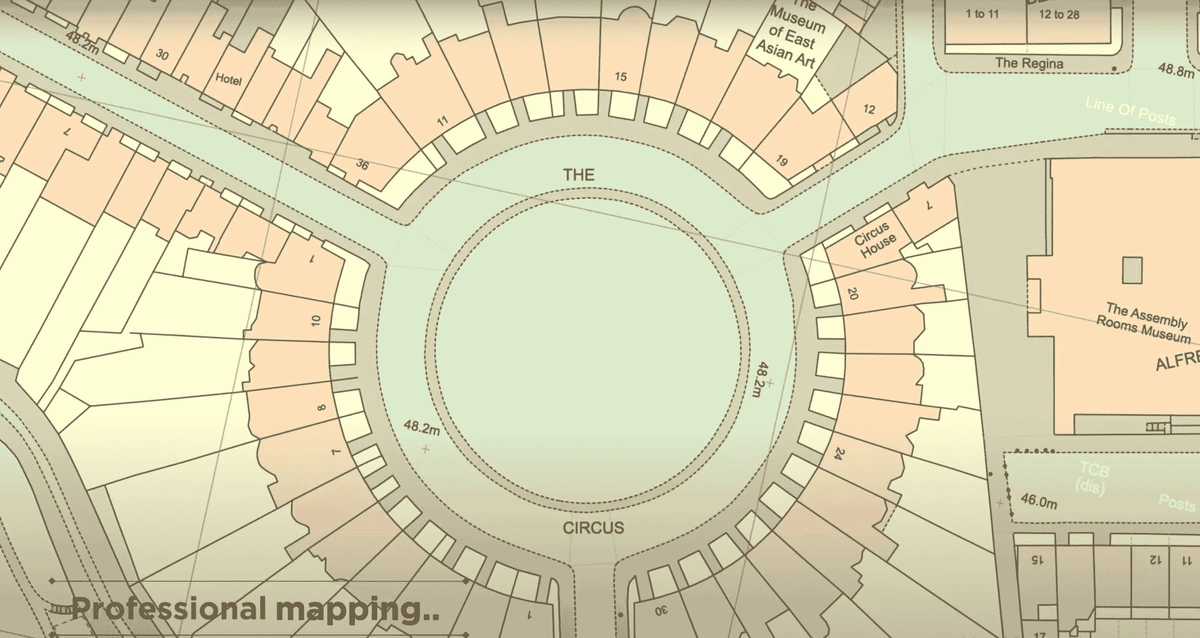
OS mapping is the UK’s authoritative source for topographic data, with tools like MasterMap® providing detailed building footprints, infrastructure, vegetation, and more. This data supports:
-
Early constraint identification (e.g., legal boundaries, heritage listings)
-
Reduced reliance on physical site visits
-
Better contextual design from the start
How Does OS Mapping Help Identify On-Site Constraints?
What constraints can OS maps reveal before a site visit?
-
Legal boundaries and rights of way
-
Utility networks and infrastructure
-
Heritage or conservation areas
Such visibility enables early-stage mitigation and design alignment.
What Are the Key OS Data Layers for On-Site Decision Making?
1. Building Heights
Why does height data matter in urban planning?
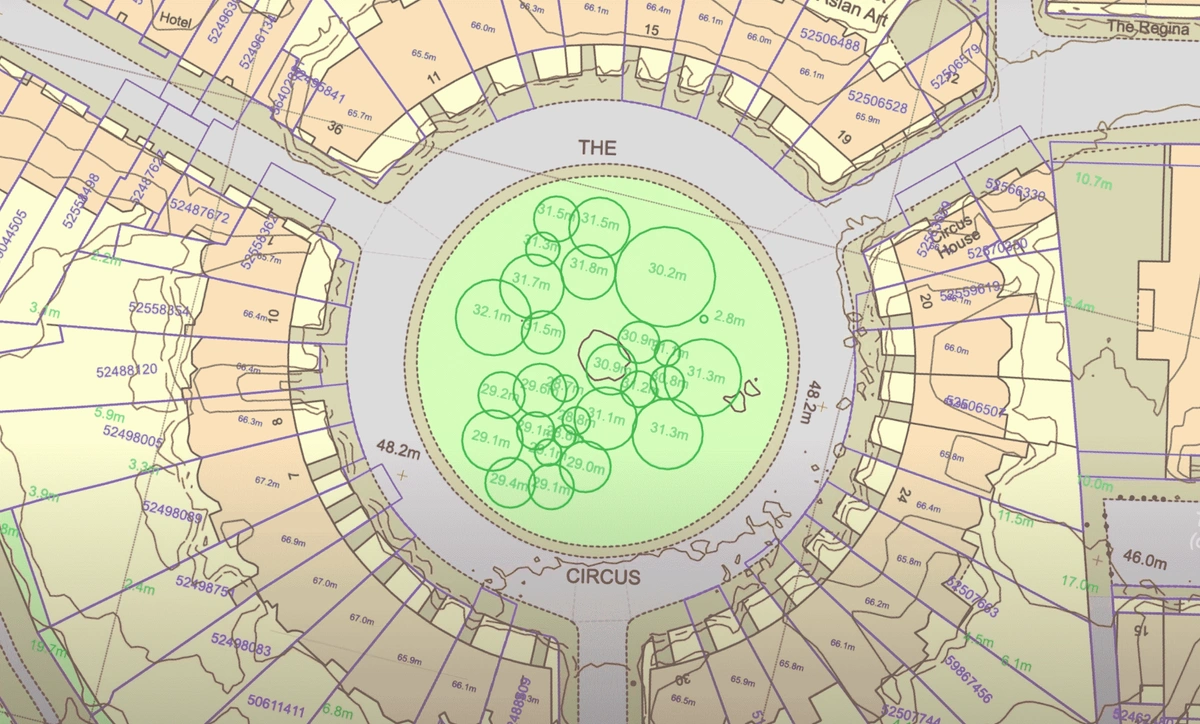
Building height data which are an addition to OS MasterMap® in CAD format support comparative massing studies, overshadowing assessments, and compliance with local planning frameworks like the London View Management Framework.
2. Property Boundaries and Plot Extents
Can OS data show legal boundaries?
Not definitively. OS boundaries are approximate but useful when paired with Land Registry data for understanding design extents, access rights, and potential encroachments.
3. Trees and Vegetation
How does vegetation mapping aid ecological assessments?
OS maps show tree cover and vegetation groups. For detailed data—including tree height and canopy—consult the National Tree Map™ (NTM). This helps in:
-
Protected species scoping (e.g., bats, nesting birds)
-
Arboricultural constraint planning
-
Subsidence or shading analysis
4. Slope, Gradient, and Elevation Data
How does terrain data influence design and drainage?
Using OS Terrain 5 or 50 DTMs allows professionals to model cut-and-fill, define access routes, and assess flood risk or drainage needs efficiently.
Who Uses OS Mapping for Pre-Visit Site Intelligence?
🏗️ Architects & Developers
Use elevation and vegetation data for feasibility studies, contextual massing, and early design iteration.
📐 Surveyors
Pre-load boundary and height data to reduce on-site time and spot discrepancies early.
🌿 Ecologists
Target site visits using tree maps and terrain to plan seasonal surveys or identify high-value habitats.
How Is UK Policy Supporting Digital Site Intelligence?
Planning authorities increasingly value spatially accurate submissions. National initiatives like the Digital Planning Reform Programme promote GIS-backed planning, and platforms like MapServe® align perfectly with these evolving requirements.
“Planning workflows are being reimagined through digital integration of geospatial data” – Royal Town Planning Institute
In What Formats Can Professionals Access OS Data?
What file types are available for site analysis?
-
Georeferenced PDFs – Ideal for field notes or client review.
-
DWG/DXF – For seamless CAD and BIM integration.
-
SHP/GML – For GIS workflows and spatial analysis.
MapServe® enables downloading exactly what's needed without full GIS suites.
Suggested Use Scenarios for OS Mapping Data
| Use Case | OS Data Used |
|---|---|
| Feasibility Studies | Building heights, slope data |
| Pre-Survey Briefing | Boundary outlines, terrain |
| Ecological Planning | Vegetation layers, proximity to water |
| Drainage Strategy | Contour lines, elevation |
| Planning Submission | Height comparisons, overshadowing |
Frequently Asked Questions (FAQs)
How accurate is OS height data?
Typically within 1 metre, based on photogrammetry or LiDAR.
Is OS data enough for legal boundary decisions?
No. Always cross-reference with Land Registry title plans.
What is the National Tree Map™ (NTM)?
A tree-specific dataset showing height, location, and canopy for all trees over 3m tall in the UK.
Can I access OS data without GIS software?
Yes. Platforms like MapServe® offer browser-based access and multiple download formats.
Final Thoughts: Why OS Data Should Be Your First Site Visit
Whether preparing a feasibility study, planning submission, or ecological survey, the first “visit” should be digital. OS datasets deliver trustworthy, granular data that reduce errors and delays. From PDFs to CAD files, the right tools make this information usable wherever professionals work.